Personal use
Local workspace
Free
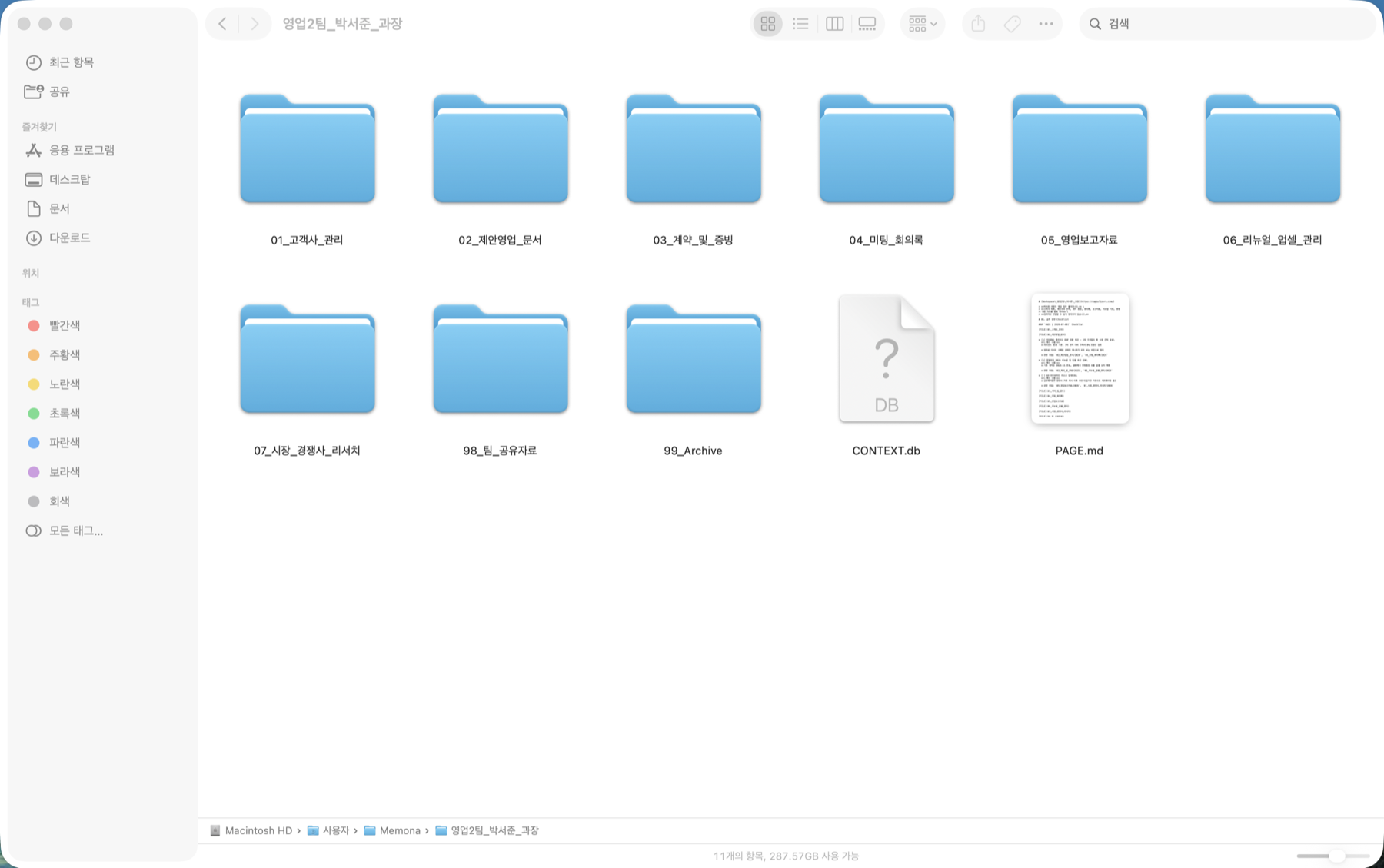
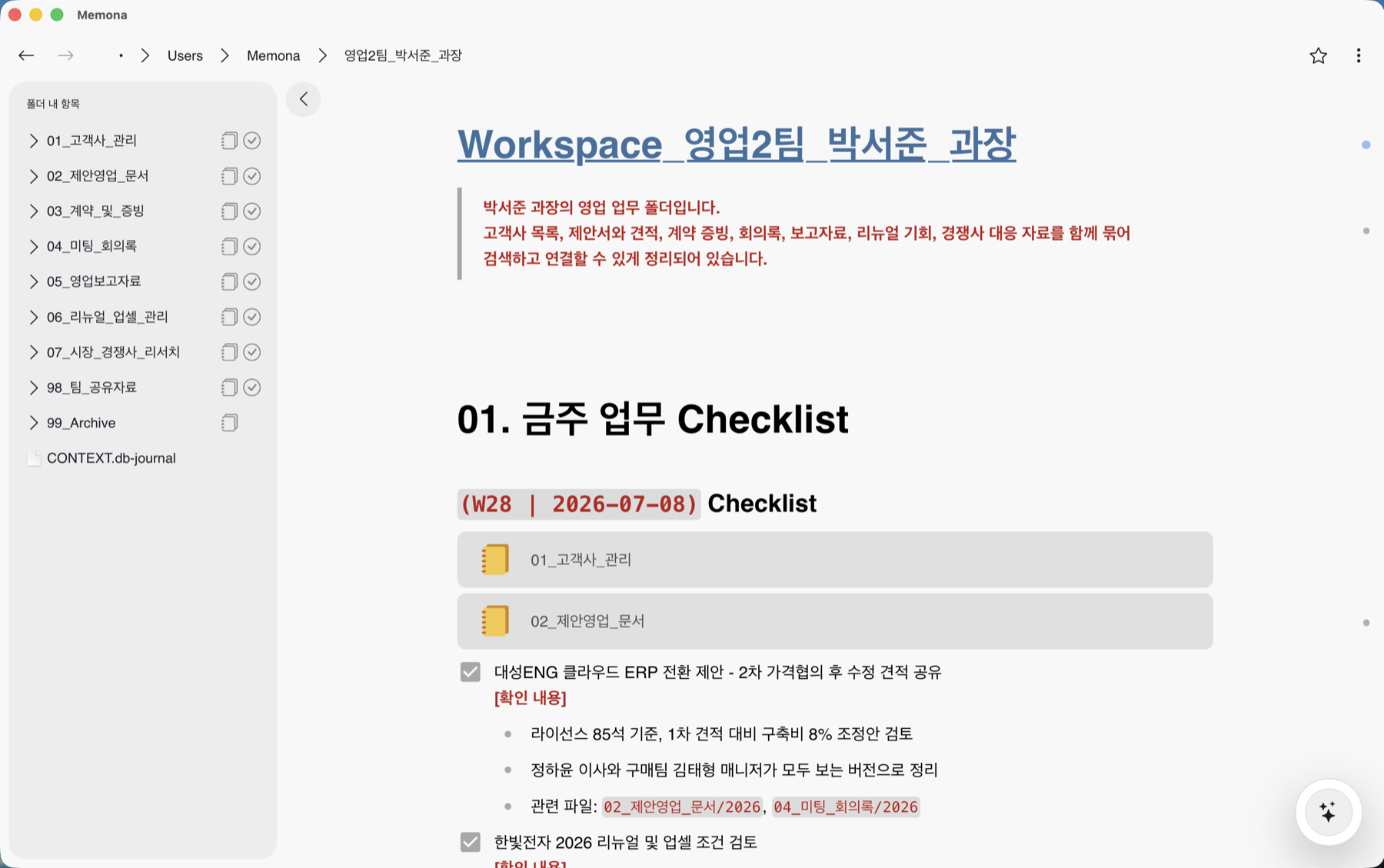
- Open the folders already on your PC
- Edit Markdown through a block UI
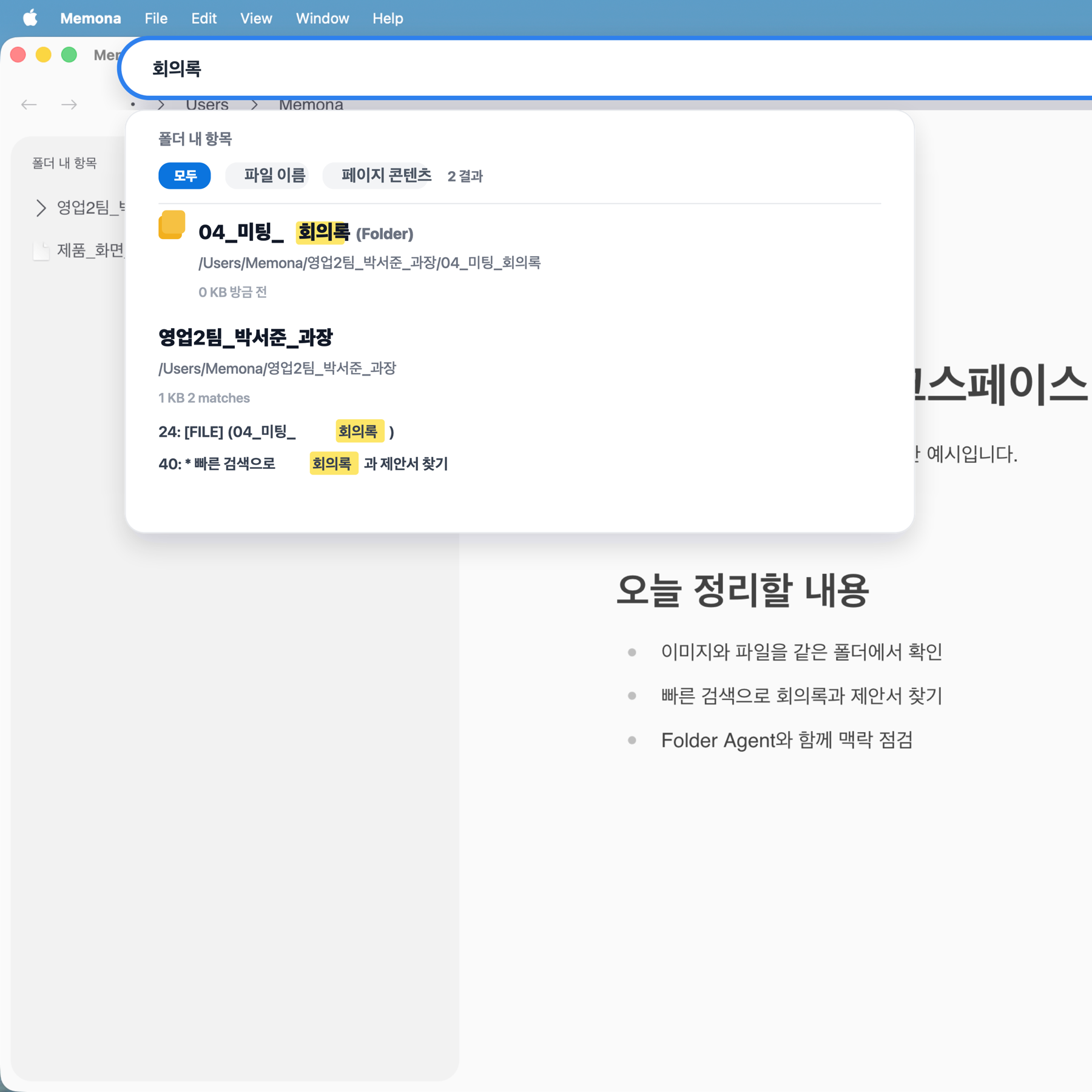
- Quickly search folders, filenames, and body text
- Download for Windows, macOS, and Linux
Give the folders and files on your PC the context they are missing. Edit it easily and comfortably in Markdown.
Target customer
Even when company IT policy blocks cloud services, you can still organize the folders already on your PC.
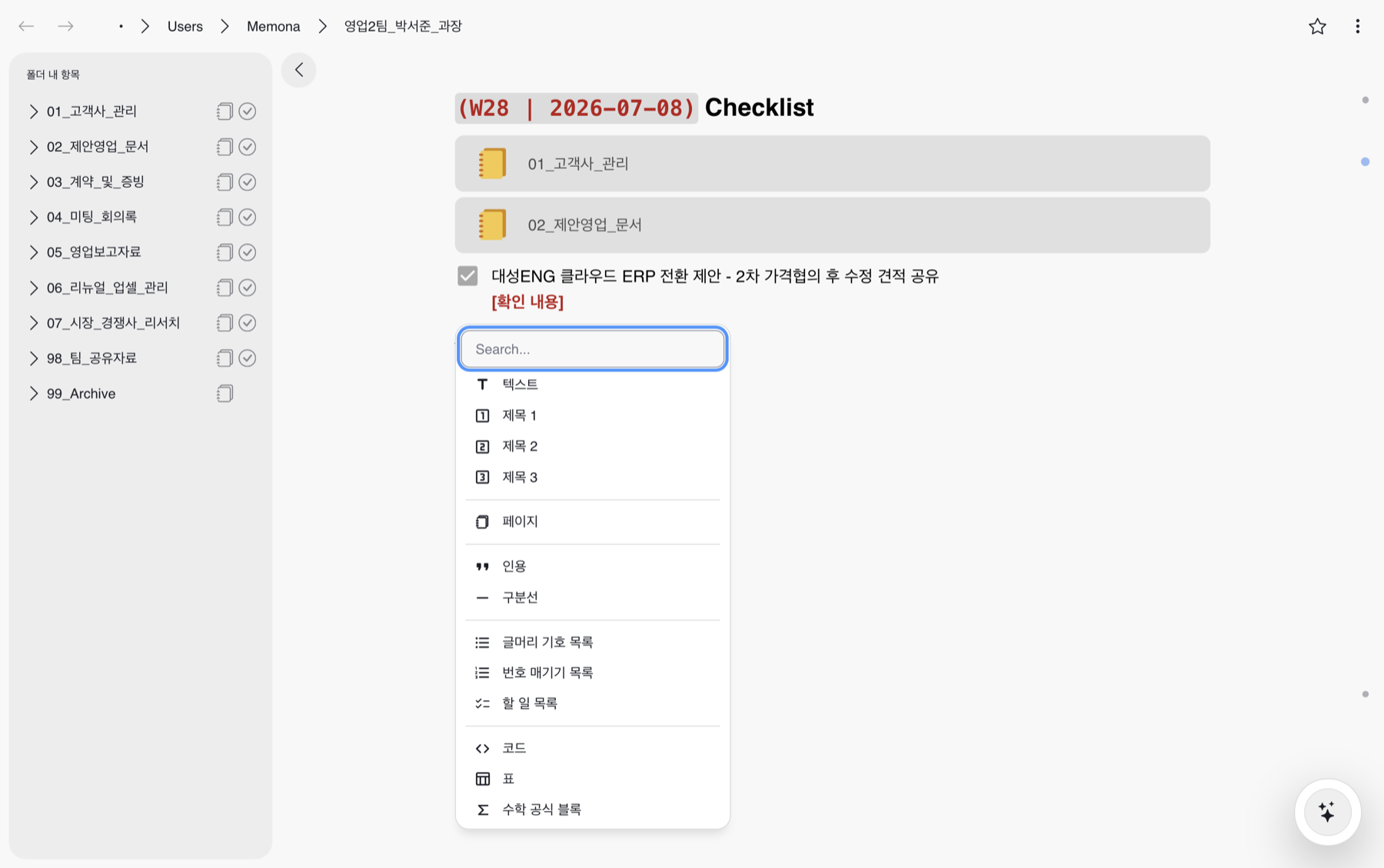
Press / to add headings, quotes, dividers, lists, tables, and code blocks, then save everything as Markdown.
Leave purpose, reasoning, and next actions in each folder so anyone can continue even when ownership changes or projects multiply.
How to use
1
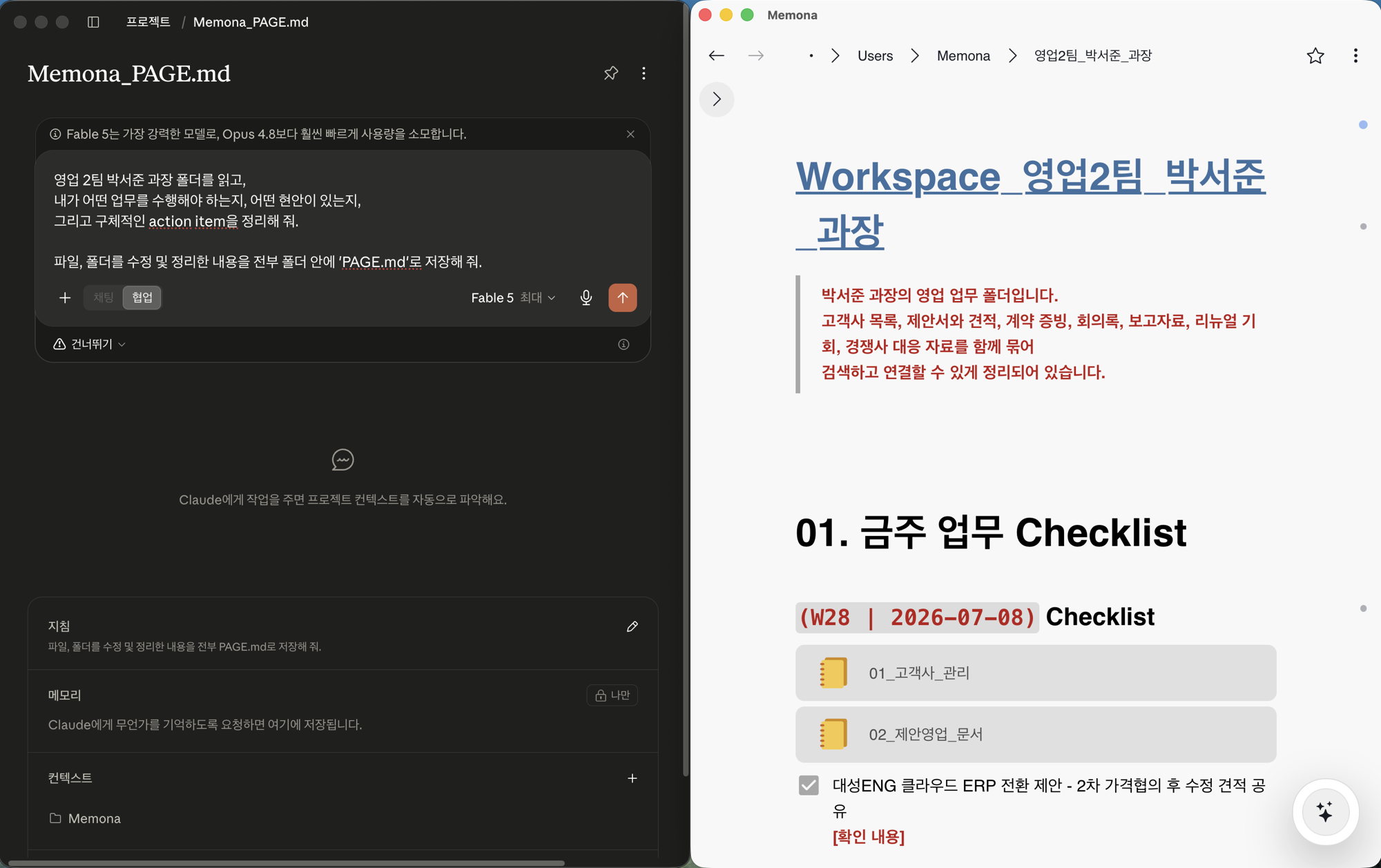
Edit Markdown quickly and comfortably. Click / to add headings, quotes, dividers, lists, tables, and code blocks, then save to PAGE.md.
2
Use the search bar above to find any keyword quickly and easily.
3
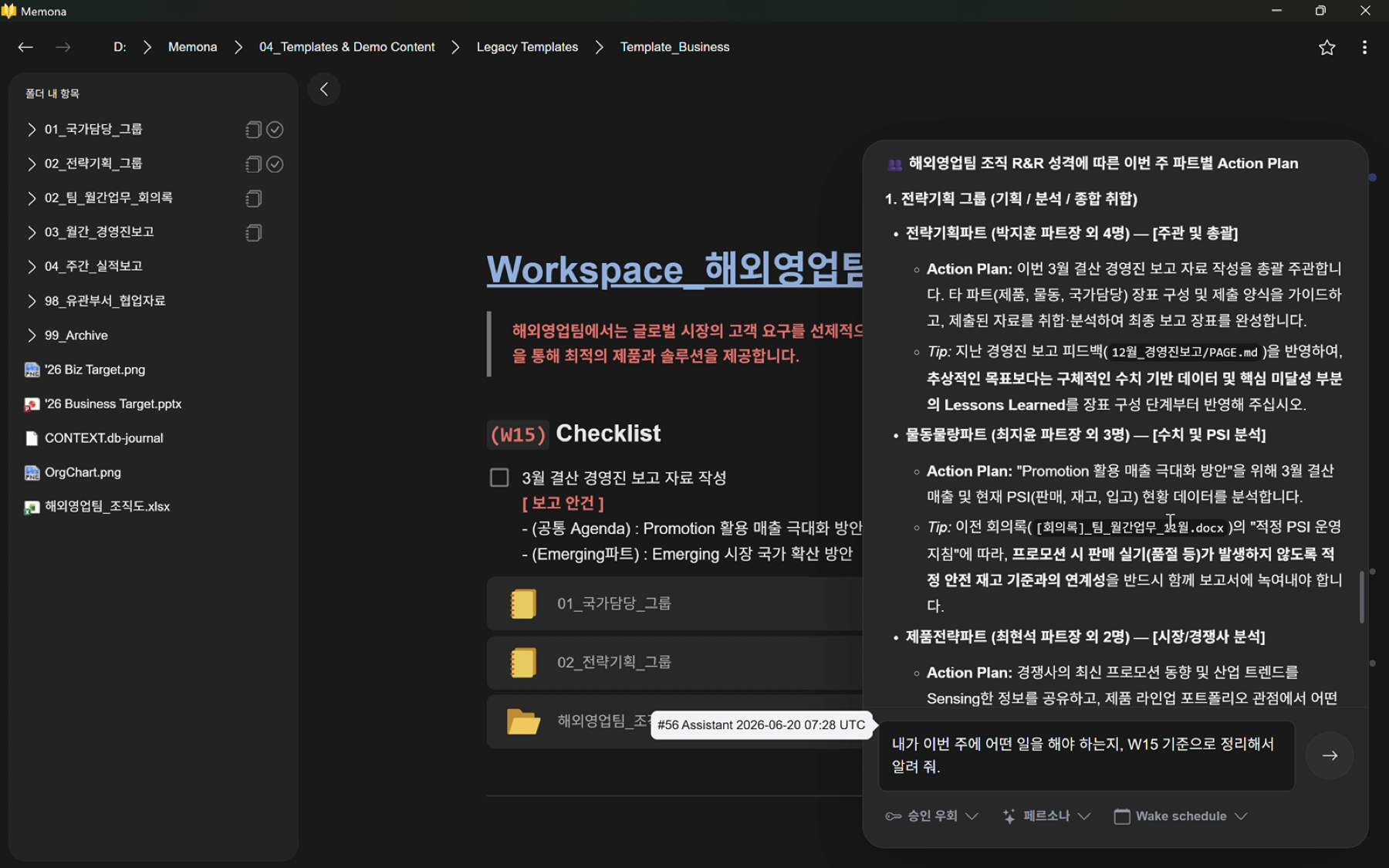
When AI reads Markdown and nearby files together, questions, summaries, and next actions become much easier.
Curious about Folder Agent?4
Take it one step further
Set a default instruction for your AI to write progress, decisions, and next actions to PAGE.md. Open that context in 메모나 to review and edit it yourself.
Why 메모나
 메모나
메모나 Notion
 Obsidian
 VS Code
메모나 keeps your real PC files and authored context at the center, then connects only the AI you choose.
Pricing
메모나 starts as a local workspace individuals can use without friction. Team and company deployments are discussed around security review and distribution needs.
Personal use
Free
Team and company
Contact/ security and deployment
From security review to onboardingWe can review security, distribution, organization policy, and onboarding together.
FAQ
Practical adoption questions, not another list of features.
No. Open the folder where it is. Making it a page adds PAGE.md in the same location without moving original files.
PAGE.md becomes an editable surface that describes the folder. Manage notes, checklists, tables, and links while viewing the files and subfolders beside it.
Notes remain as ordinary Markdown files in your local folders and can be opened in another text editor.
Local editing and storage do not require external AI. If you connect an external AI provider, context required for the task may be sent to that provider.
The agent must follow the active folder's scope and approval policy. Exact default permissions and availability will be documented according to the public release state.
메모나 is a locally installed program, so admin rights and IT approval policy vary by company. Since there's no cloud upload, your data never leaves the machine — which tends to make security review easier to explain.